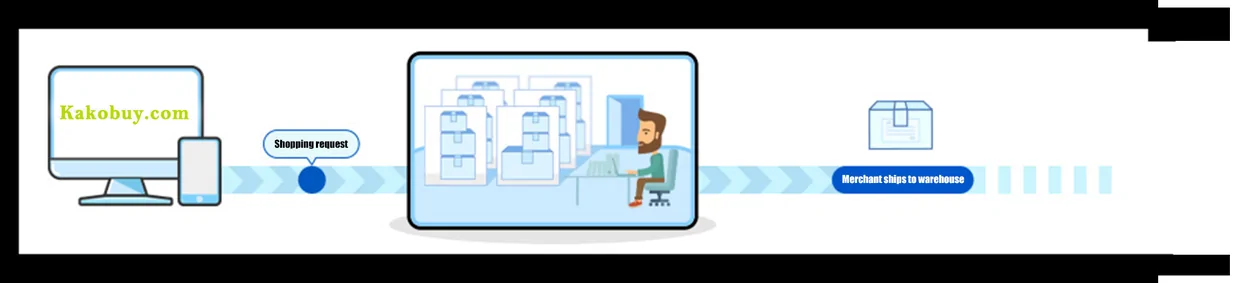
From a pick on this index to a delivered parcel, in seven Kakobuy steps
Built from Kakobuy's own walkthrough video and help centre, with the waiting times and charges that belong to each step.
Watch the official walkthrough first
Kakobuy keeps a short video on its home page. Its title is How to Shop on Taobao Using Kakobuy, and in 1 minute 34 seconds it shows the real screens: the sign-up form, a copied Taobao link, the order confirmation, the warehouse list with its photos, the address form and the shipping lines. Every frame on this page that is not a tutorial image comes from it.
The video says nothing about waiting times, fees or what to do when something goes wrong. The seven steps below fill that in, step by step, from Kakobuy's help articles as captured on October 10, 2026.
Step 1: an account, an email address and an optional code
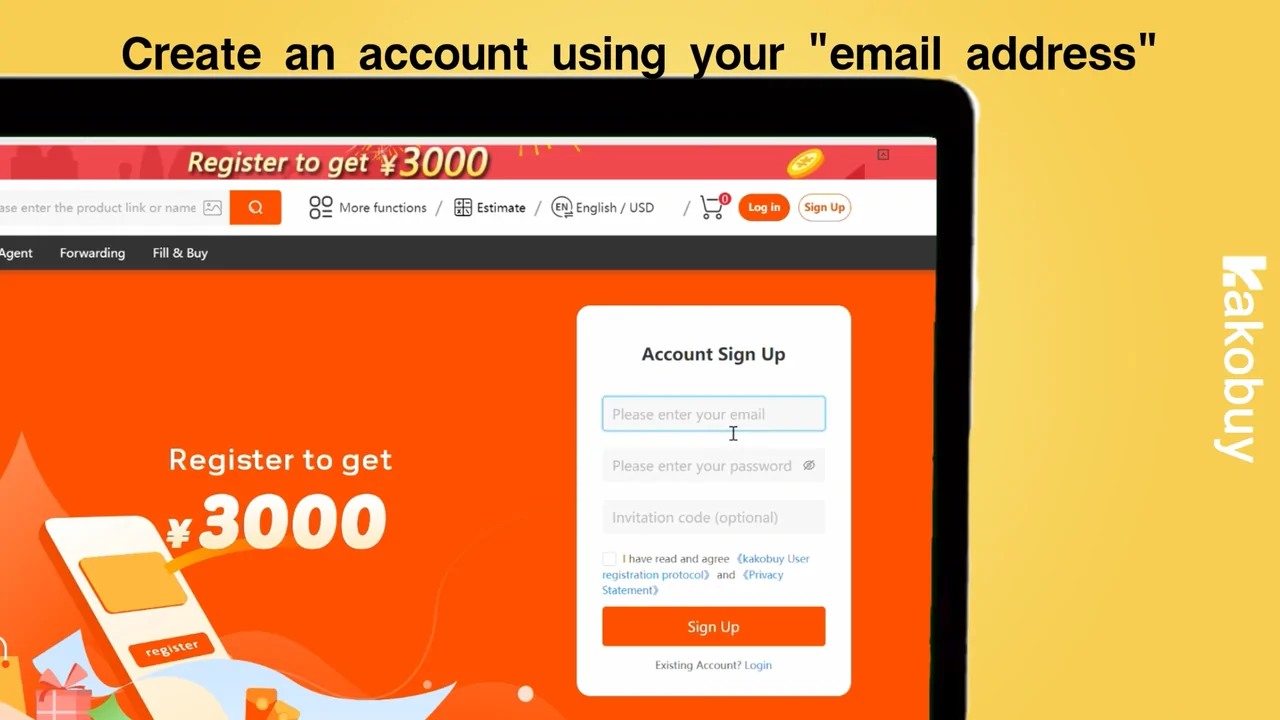
The sign-up form on kakobuy.com asks for an email address, a password, and an invitation code that you may leave empty. Arriving via the button below fills our referral code in for you; it gives us a commission and leaves your prices alone. You can switch the site between 16 languages and 12 currencies from the header; it opens in English and US dollars.
New accounts are promised coupons. Kakobuy's announcement dated September 22, 2024 says new users get ¥3000, about $410, in coupons, and the register page still says so. Treat that as a stack of discounts with minimum spends, not cash: the Halloween pack published on October 9, 2026, for example, splits its value into shipping coupons that each need a minimum spend.
Step 2: copy the store link from a pick and paste it into Kakobuy
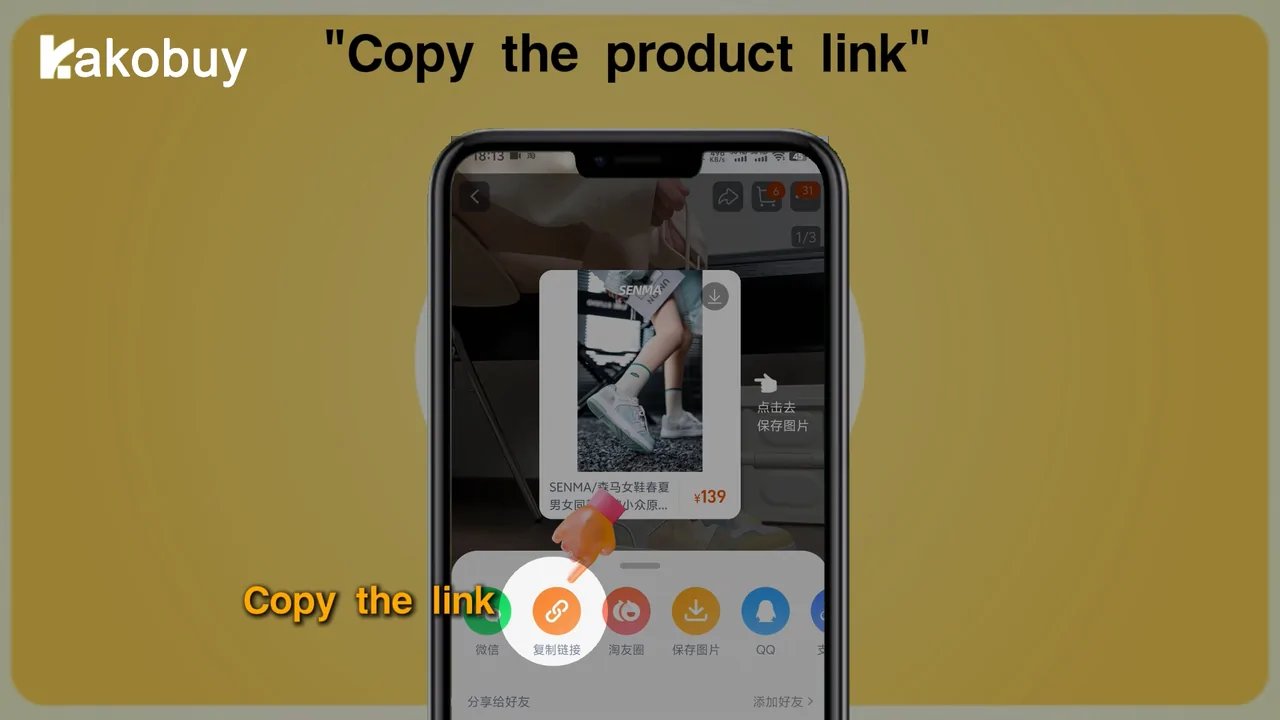
Open a pick from the index and use the listing's Kakobuy link if it offers one, or copy the store link it points to. Paste that link into the search bar on kakobuy.com and the product page appears with its options, price in your currency and an estimate of the domestic delivery.
Kakobuy's help centre names Taobao, Tmall, 1688 and JD.com as the stores whose pages it reads automatically. Every pick on this index is a Weidian listing; Kakobuy lists Weidian among the stores its buyers work on seven days a week, and if a pasted link does not open a product page, the Fill & Buy form takes the order by hand. Read that form's terms before using it: for third-party links Kakobuy says it cannot vouch for quality, will not look after problems later and will not undo a paid order.
Typed keywords on kakobuy.com only search 1688, Taobao, Tmall and JD, so for a Weidian pick the pasted link is the reliable route.
Step 3: option, remark, then the first payment
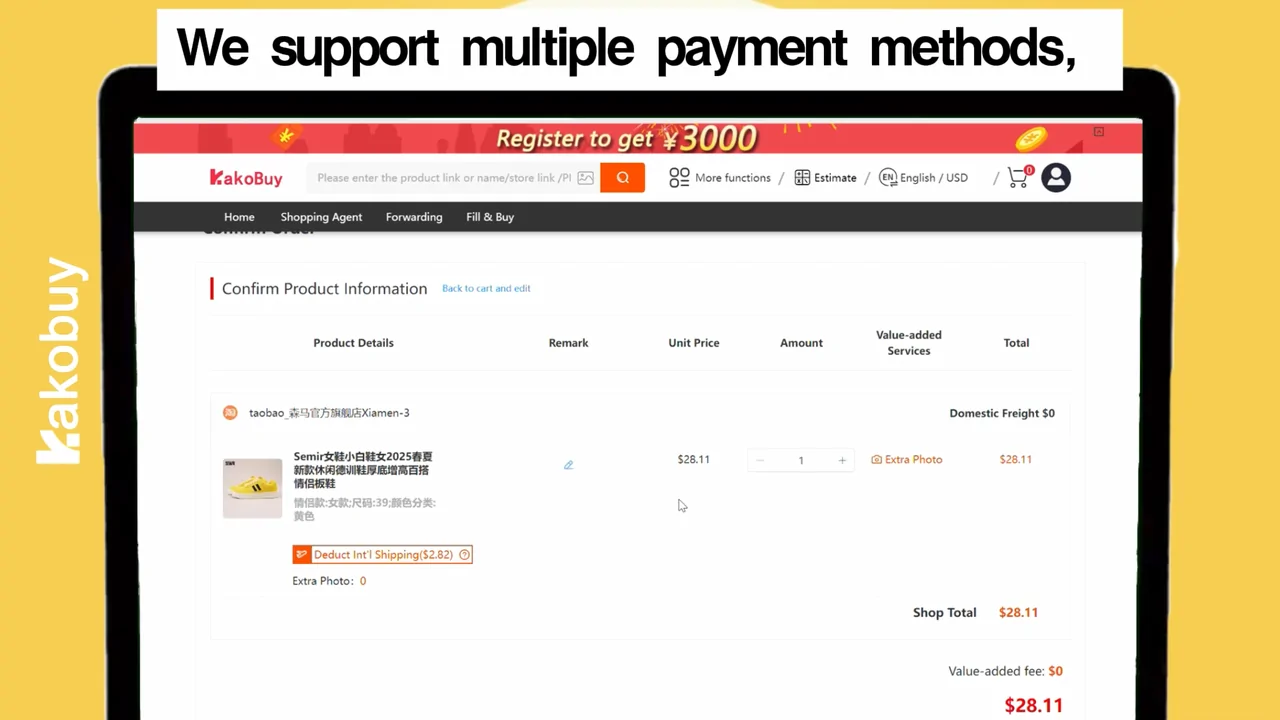
On the product page, pick the colour and size, set the quantity and use the remarks box for anything the buyer should know, such as a measurement to check. Tick the agreement box, then Buy now or add to the cart. If several items come from one seller and you pay for them in one purchase order, Kakobuy charges that seller's domestic shipping once.
Payment options at the checkout counter include your Kakobuy balance, PayPal, cards, Alipay and WeChat Pay. Alipay and WeChat are free to use but slow to settle, up to an hour. PayPal top-ups are converted to US dollars and carry a handling fee that Kakobuy states in more than one way; the costs page lists all three versions side by side.
Step 4: purchase, domestic delivery, warehouse photos
On Kakobuy's tutorial page, checking an order takes 3 to 5 working hours, and a seller's parcel is in transit to the warehouse for 3 to 5 days as a rule. Kakobuy's buyers keep Beijing office hours, 9:00 until 18:00: every day of the week for orders from Weidian, Taobao, Tmall, JD, Xianyu and Yupoo, weekdays only for other stores. Priority purchase costs ¥5 per order and moves it into the next four buyer working hours.
When the parcel arrives, the item is checked and photographed and its status changes to stocked in. Three clocks start then: the five-day return window (120 hours), the 100 days of free storage, and your own patience. Open the photos on the day they arrive, hold them against the looks on the pick, and ask for extra photos at ¥2 each if something is missing.
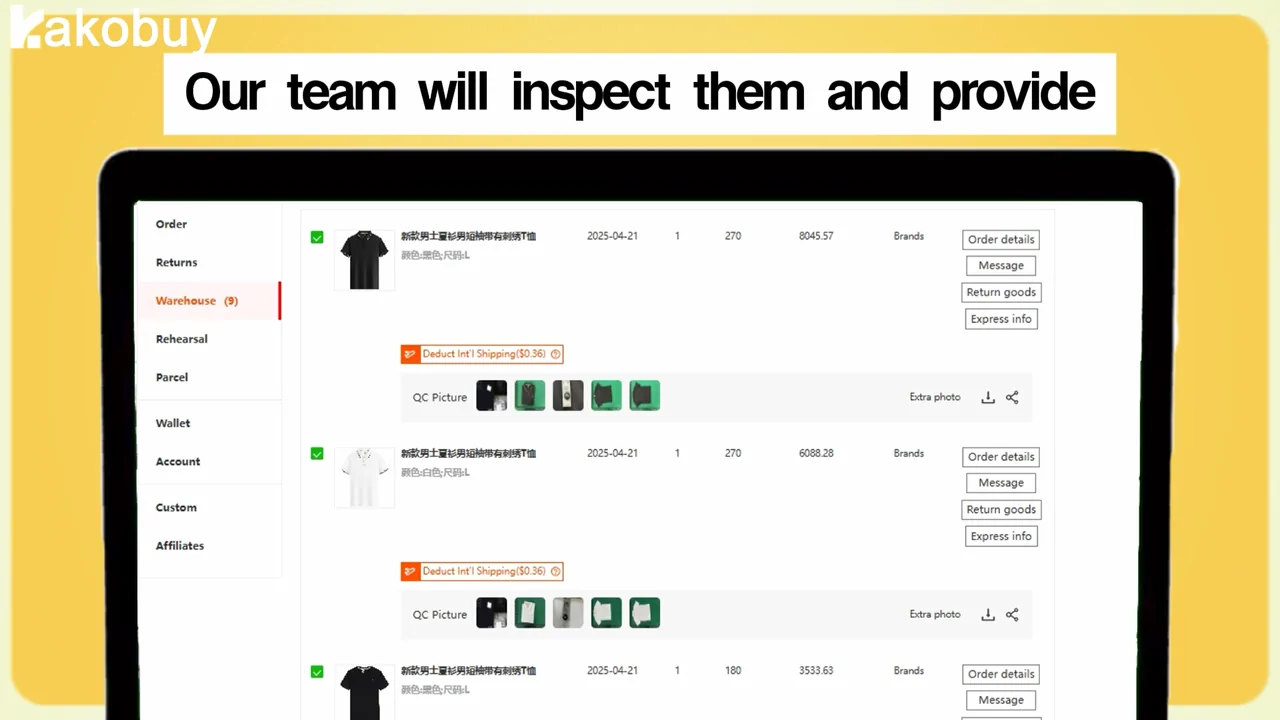
Step 5: pick stored items, add an address, choose packing
In the warehouse list, tick the items marked as ready and press Submit to start a waybill. You can send everything together or split across several parcels. Kakobuy's warning: customs tend to read a parcel above 10 kg, or one packed with lots of the same item, as a commercial shipment.
The waybill page asks for the address (the video says to double-check it), lets you remove tags or retail packaging item by item, and offers paid packing add-ons such as a shoe tree, bubble wrap, a vacuum bag, stretch film, a moisture bag and corner protection. Two extras are worth knowing here: pre-packing at ¥18 packs the parcel once so you see its weight within 24 hours before choosing a line, and three parcel photos before dispatch are free if you tick them.
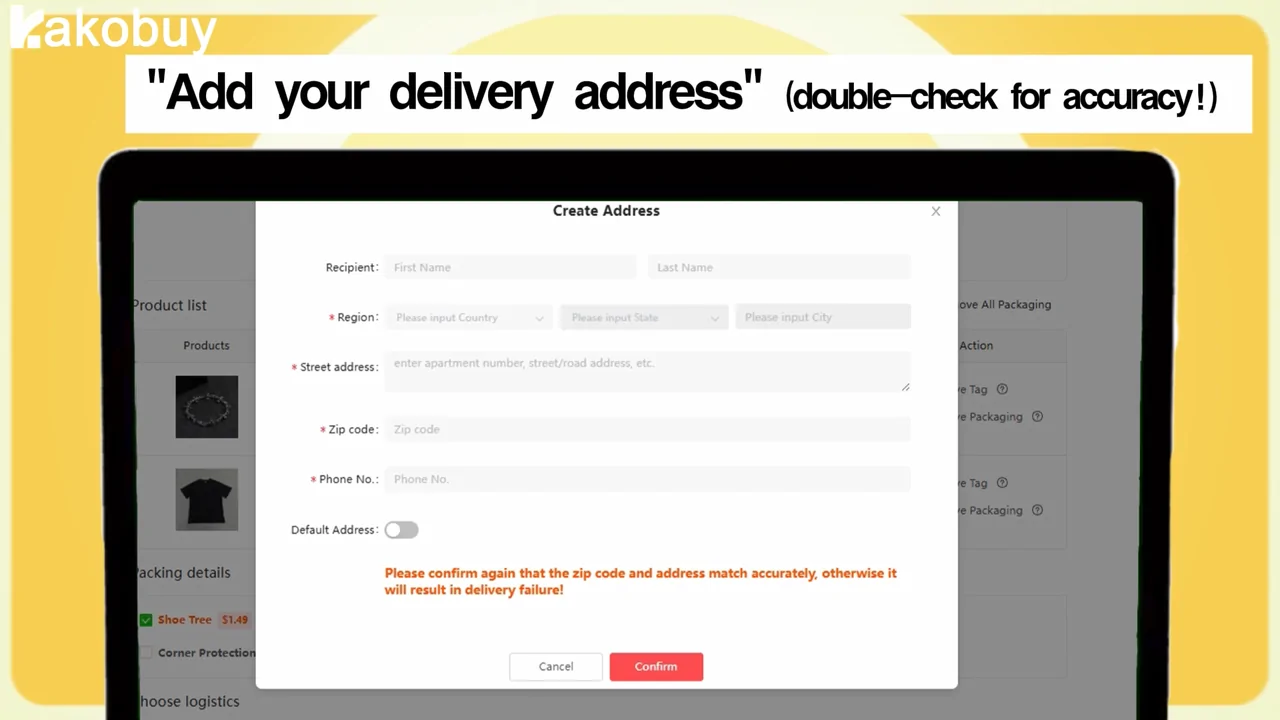
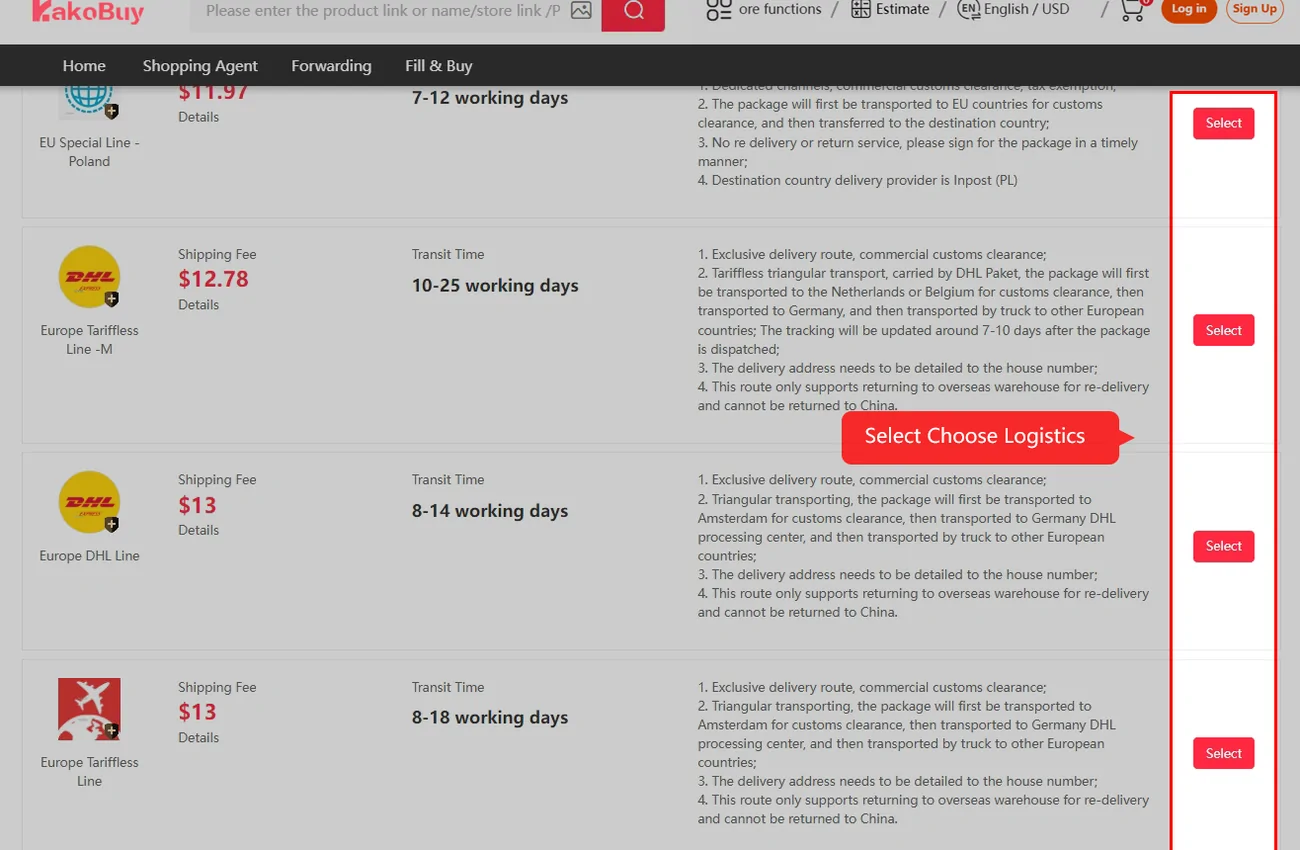
Step 6: choose a shipping line and pay the freight
The lines offered depend on your country and on what is in the parcel. Each line card shows a price, a transit time and notes: which goods it refuses (batteries, liquids, perfume on some lines), its weight floor, who delivers in your country and how clearance works. Some lines will not take a parcel below 2,000 g or 2,501 g; one UK line starts at 5,001 g.
Read the line notes for any pick with a battery or a liquid before choosing. In the EU, Kakobuy says the new per-category customs duty is replaced by a flat €3 per parcel, added when you submit. Insurance is bought here too. If the freight you paid turns out higher than the final charge, Kakobuy's tutorial says the difference is refunded.
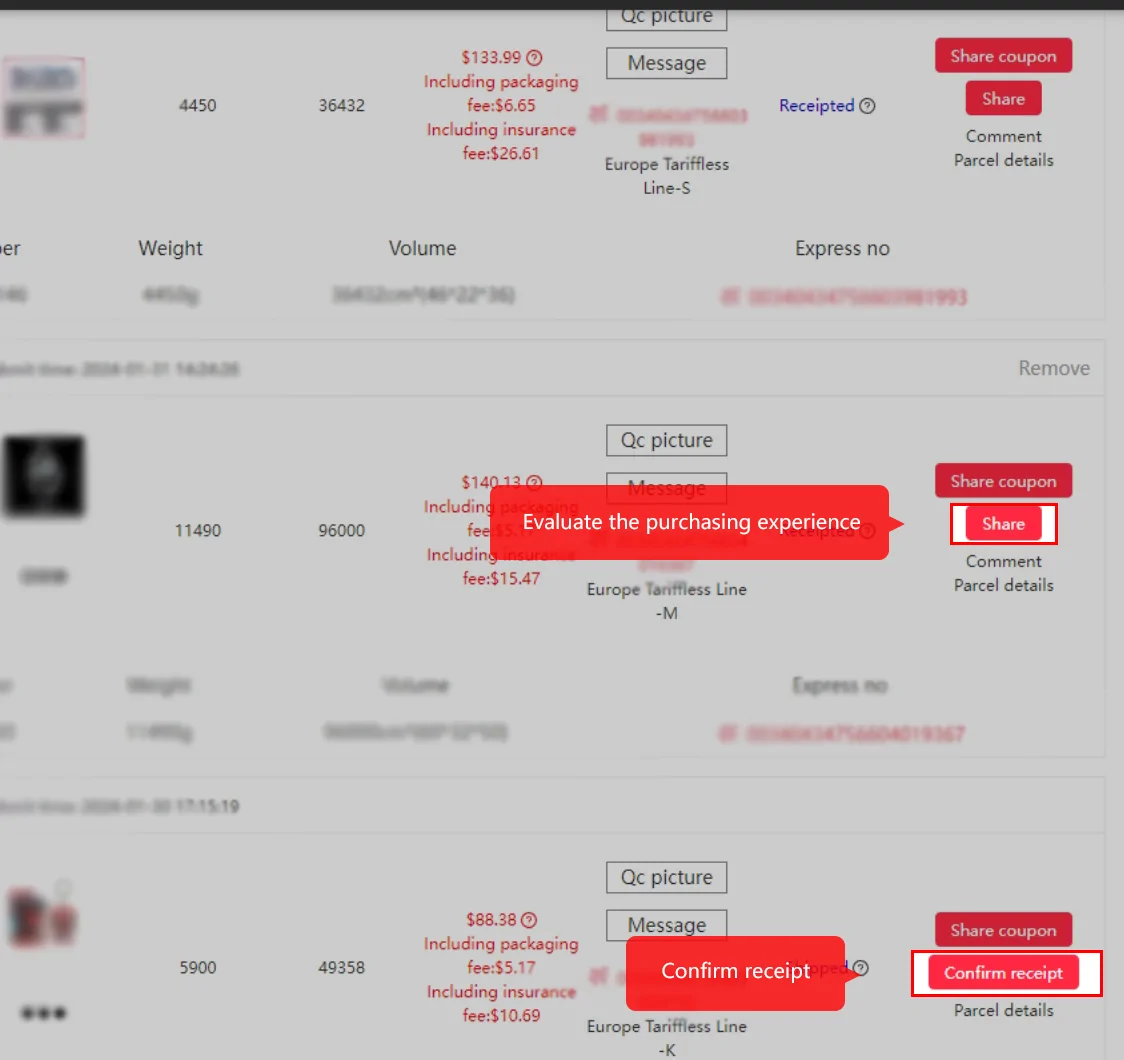
Step 7: track it, confirm receipt, report problems fast
The parcel list shows the status, the weight and volume, and an itemised price that separates packaging and insurance. A Logistics information window follows the parcel from the warehouse in China to the line's carrier in your country. When it arrives, open it before confirming receipt, and photograph anything wrong before you throw the packaging away.
Kako Insurance refunds one fifth of the freight when a parcel is still travelling after 30 or 40 days, the limit depending on the line, and has separate cover for customs holds, loss and damage. Without it, Kakobuy disclaims losses and damage caused by the outside carriers. That is the reason to buy it on the expensive picks.
The whole route on one diagram, with the waits
| Step | Who acts | Typical wait, per Kakobuy | What you pay here |
|---|---|---|---|
| 1 Account | You | Minutes | Nothing |
| 2 Link | You | Minutes | Nothing |
| 3 Order and pay | You | Alipay or WeChat up to 60 minutes | Item price and domestic shipping |
| 4 Purchase and photos | Buyer, seller, warehouse | Review 3 to 5 working hours, delivery 3 to 5 days | Optional photos, ¥2 each |
| 5 Waybill | You | Pre-packing result within 24 hours | Optional packing extras |
| 6 Line and freight | You | Line transit time shown on the card | Freight, per-parcel charges, insurance |
| 7 Receipt | Carrier, you | Varies by line | Local duties on non-tax-free lines |